Have you lost access to your business domain because your previous web developer or agency registered it using their email account? Recovering a domain from a previous developer in Nepal is possible in many cases, but the process depends on the domain extension, registrar, registered owner, and documents you can provide.
This problem is more common than many business owners expect. A developer may have registered the domain for you, managed the DNS, or kept the domain inside their own account. When the relationship ends, you may discover that you do not have the login details or control over the domain.
The good news is that losing access to the developer does not automatically mean losing your domain.
This guide explains what you should do if your domain is controlled by a previous developer or agency in Nepal, including .com, .net, .org, .com.np, and other domains.
What Does It Mean to Recover a Domain?
Domain recovery means regaining administrative control of a domain name that is currently controlled by another person, developer, agency, or account.
For example, suppose your company owns yourcompany.com, but your previous developer registered it using their personal email address.
You may still own the business and brand, but you cannot:
- Log in to the domain account
- Change DNS records
- Renew the domain
- Change nameservers
- Move the domain to another provider
- Manage domain-related email services
- Transfer the domain to another registrar
In this situation, the first step is to determine who is actually listed as the domain registrant.
Why Do Businesses in Nepal Lose Control of Their Domains?
There are several common reasons.
1. The Developer Registered the Domain
Some businesses ask their web developer to purchase the domain as part of a website project.
The developer may then register it using:
- Their company email
- Their personal email
- Their registrar account
- Their own billing account
This can become a problem when the website project ends.
2. The Domain Was Registered Under the Agency’s Account
A developer may manage dozens or hundreds of domains from one account.
If your domain is inside their account, you may not have direct access even though the domain is being used for your business.
3. The Business Owner Does Not Know the Registrar
You may know your domain name but not know where it was registered.
For example, the domain could be registered through a local provider, an international registrar, or another reseller.
4. The Developer Has Stopped Responding
Sometimes the agency closes, changes staff, stops providing services, or simply stops responding to the client.
This is especially risky if the domain is approaching its renewal date.
5. The Domain and Hosting Were Treated as One Service
Some businesses assume that the domain and website hosting are the same thing.
They are not.
You can move your hosting to another company while keeping the domain with the existing registrar. You can also move the domain without moving the website.
Understanding this difference makes recovery much easier.
First, Check Who Controls Your Domain
Before contacting anyone, collect information about your domain.
Start with a domain lookup.
For generic domains such as .com, .net, and .org, you can use the ICANN lookup system to identify the registrar. ICANN explains that domain registrants have rights related to managing, transferring, renewing, and restoring their domain registrations.
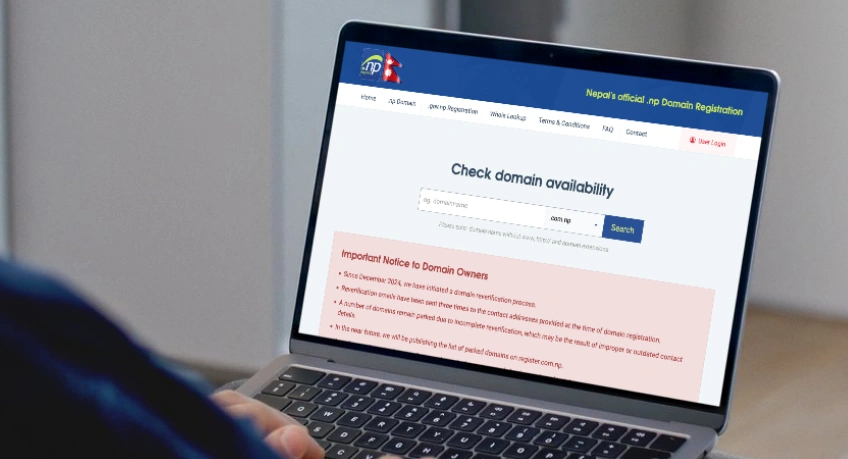
For Nepal’s .np domains, the official .np registry provides a WHOIS lookup service.
Check These Details
Record as much information as possible:
| Information | Why It Matters |
|---|---|
| Domain name | Identifies the domain you need to recover |
| Registrar | Shows which company manages the domain |
| Registrant name | Helps establish who the domain belongs to |
| Registrant organization | Useful for company-owned domains |
| Registrant email | Important for verification and recovery |
| Expiry/renewal status | Helps prevent accidental loss |
| Nameservers | Shows where DNS is currently managed |
| Current developer | May still have account access |
| Registration documents | Can help prove ownership |
Do not change DNS records yet unless you understand what they do.
Determine Whether the Domain Is Actually Registered to Your Business
This is one of the most important steps.
There is a difference between:
“My business paid for the domain”
and
“My business is the registered domain holder.”
Ideally, your business should appear as the registrant or registered organization.
For example:
Good setup:
Registrant: ABC Trading Pvt. Ltd. Email: [email protected]
Risky setup:
Registrant: John Doe Email: [email protected]
The second setup does not automatically settle the legal ownership question, but it can make recovery much harder.
For .np domains, the official registry states that the administrative name and email should belong to the actual owner, not the technical contact.
This is why businesses should register important digital assets using company-controlled information.
If You Have a .com.np Domain
The recovery process for .com.np is different from the process for .com domains.
Nepal’s official .np registry, operated by Mercantile Communication, provides a specific account transfer process for .np domains.

How to Recover a .com.np Domain
If the previous developer controls your .com.np domain, you can request an account transfer.
For a personal domain, the official process requires:
- A formal transfer request letter
- The current account information
- The destination account information
- A copy of an accepted identification document
For an organizational domain, you generally need:
- A formal request on company letterhead
- The current account information
- The destination account information
- A company, brand, or trademark registration document
The recipient must already have an account registered at register.com.np. The official instructions also direct users to contact the .np domain administration team at Mercantile.
What If You Cannot Contact the Previous Developer?
This is where your documents become important.
If the domain belongs to your company and you can provide company registration or other supporting documents, contact the .np Domain Administration team and explain the situation.
The official .np registry says domain registration information should reflect the actual owner and provides a process for account transfers.
You should clearly explain:
- Your company name
- The domain name
- The previous developer or agency
- How the domain was registered
- Why you no longer have access
- What documents you can provide
- The account where you want the domain transferred
Keep copies of all correspondence.
If You Have a .com, .net, or .org Domain
The process is different for domains such as .com, .net, and .org.
These domains are generally managed through a registrar.
Your first goal is to identify the registrar and then contact it.
ICANN states that the registrant has the right to transfer a domain between registrars, subject to applicable transfer rules and restrictions.
Step 1: Find the Registrar
Use ICANN’s lookup service:
Find the registrar listed for your domain.
Step 2: Contact the Registrar
Tell the registrar that:
You are the business owner or authorized representative and your former web developer controls the domain account.
Ask what documentation they require to verify your identity or ownership.
Do not simply ask them to “give you the domain.” Explain the complete situation and provide supporting evidence.
Step 3: Prepare Ownership Evidence
Useful documents may include:
- Company registration certificate
- PAN or VAT registration
- Trademark registration
- Business website information
- Original domain invoice
- Payment receipt
- Contract with the developer
- Email correspondence
- Domain renewal invoices
- Company letterhead
- Identification of an authorized company representative
The exact requirements depend on the registrar and circumstances.
Step 4: Request Account or Registrant Recovery
If you can prove that you are the registered domain holder, the registrar may provide a recovery process.
If the domain is registered to your business but the developer controls the login, this may be easier than a dispute over ownership.
What If the Developer Is Listed as the Registrant?
This is more complicated.
Suppose your company paid for the domain, but the developer registered it under:
Developer Name Developer Email Developer Company
In this case, you should not assume that a registrar will automatically transfer the domain to you.
The registrar may need evidence showing your relationship with the domain and the developer.
Your evidence could include:
- Website development agreement
- Domain purchase invoice
- Payment records
- Emails discussing the domain
- Messages showing the developer registered it for your company
- Company registration documents
- Branding or trademark records
- Previous renewal payments
- Written confirmation from the developer
ICANN explains that changing registrant information is handled by the registrar and that disputes may involve additional procedures.
If the parties disagree about ownership, you may need professional legal advice.
Send a Formal Request to the Previous Developer
Before starting a formal dispute, send the previous developer a clear written request.
Do not rely only on phone calls or informal messages.
Ask for:
- Domain registrar login access, or
- Transfer of the domain to your account, or
- An authorization code if a registrar transfer is required, and
- DNS management access
For generic domains, an Auth-Code may be required to transfer the domain to another registrar. ICANN describes the Auth-Code as a code used to help authorize domain transfers.
Keep the communication professional.
Avoid threatening language unless you are already working through a legal process.
What If the Developer Refuses to Give You the Domain?
If the developer refuses to cooperate, the next step depends on how the domain is registered.
Situation 1: Your Business Is the Registrant
This is generally a stronger position.
Contact the registrar and explain that you have lost access to the account.
Provide the requested verification documents.
Situation 2: The Developer Is the Registrant
You may need to establish your claim using contracts, invoices, payment records, company documents, and communications.
If the dispute cannot be resolved between the parties, professional legal advice may be appropriate.
Situation 3: The Domain Was Transferred Without Permission
Treat this as a potential unauthorized transfer.
ICANN advises domain holders to contact the registrar immediately if a domain was transferred or registrant information changed without authorization. In certain cases, the registrar may be able to review or reverse an unauthorized transfer.
Do not wait for months before reporting a suspected unauthorized transfer.
Do Not Confuse Domain Recovery With Website Recovery
This is a common mistake.
Your website has several separate components.
| Asset | What It Controls |
|---|---|
| Domain | Your website address |
| DNS | Where domain services point |
| Hosting | Where your website files live |
| Website files | Your actual website |
| Database | Website data |
| Email hosting | Business email |
| CMS | WordPress or another website system |
| SSL certificate | Secure HTTPS connection |
Recovering the domain does not automatically recover your website files.
Likewise, getting website files does not automatically give you control of the domain.
You should recover all important assets separately.
Check Your DNS Before Making Changes
Once you regain domain access, do not immediately delete existing DNS records.
Your DNS may control:
- Website hosting
- Business email
- Microsoft 365
- Google Workspace
- Email verification
- Payment services
- Marketing tools
- Subdomains
- SSL validation
Changing nameservers without checking the existing setup can cause your website or email to stop working.
For .np domains, the official registry explains that nameserver changes are made through the domain management system and that DNS propagation can take time after changes.
Take a DNS Backup
Before making major changes, record:
- A records
- AAAA records
- CNAME records
- MX records
- TXT records
- SPF records
- DKIM records
- DMARC records
- Nameservers
- Important subdomains
This gives you a reference if something breaks.
Check Your Business Email Before Moving the Domain
Be especially careful if your domain is used for email.
For example:
These addresses may depend on MX records and other DNS settings.
If you change the nameservers without copying the email records, email delivery may stop.
Before moving the domain, identify whether your business uses:
- Microsoft 365
- Google Workspace
- cPanel email
- Hosting-provider email
- Another email platform
A domain recovery project should protect both the website and business communication.
Recover the Registrar Account, Not Just the Website
If the previous developer gives you only WordPress administrator access, your domain problem is not solved.
You should ideally have direct access to:
- Domain registrar
- Domain account
- DNS management
- Hosting account
- Website CMS
- Website files
- Database
- Business email
- SSL management
- Renewal and billing information
The developer can still remain a technical administrator if you choose, but your business should control the core accounts.
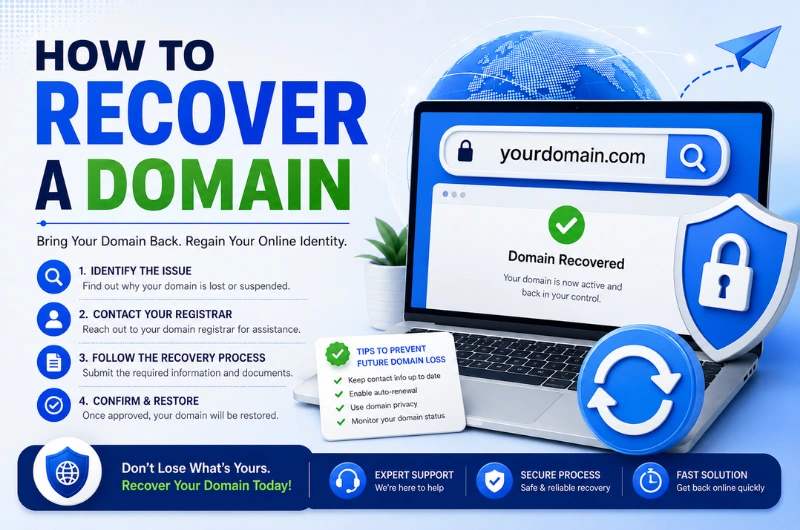
A Simple Domain Recovery Process for Nepal
Here is a practical process you can follow.
Step 1: Write Down the Domain
Start with the exact domain name.
Example:
yourcompany.com
or
yourcompany.com.np
Step 2: Check the Domain
Find:
- Registrar
- Registration status
- Registrant information where available
- Nameservers
- Renewal status
Step 3: Collect Your Documents
Prepare your company registration, PAN/VAT documents, invoices, contracts, and payment records.
Step 4: Contact the Previous Developer
Request the domain account or domain transfer in writing.
Step 5: Contact the Registrar or .np Registry
If the developer does not cooperate, contact the organization managing the domain.
Step 6: Complete Verification
Submit the documents requested by the registrar or registry.
Step 7: Create Your Own Account
Use a company-controlled email address.
Avoid using the developer’s email address.
Step 8: Transfer the Domain
For applicable generic domains, follow the registrar transfer process. For .np domains, follow the official account transfer process.
Step 9: Secure the Account
Enable:
- Strong password
- Two-factor authentication where available
- Recovery email
- Recovery phone
- Company billing information
Step 10: Review DNS
Make sure your website and email continue working.
How Long Does Domain Recovery Take?
There is no single recovery time.
It depends on:
- Domain extension
- Registrar
- Whether you can access the registered email
- Whether the previous developer cooperates
- Ownership evidence
- Whether there is a dispute
- Whether the domain is expired
- Whether the domain is locked
A simple account recovery may be relatively quick.
A disputed domain can take much longer.
For .np domains, Mercantile’s official process requires documentation and verification for account transfers.
Do not promise a specific recovery time until the registrar or registry has reviewed the case.
What If Your Domain Is About to Expire?
Treat this as urgent.
A domain that expires can create serious problems for your:
- Website
- Online advertising
- Search traffic
- Customer communication
- Brand reputation
Contact the registrar immediately and ask about the domain’s current status.
For generic domains, expired-domain rules can affect whether the domain can still be renewed or transferred. ICANN’s policies recognize expiration as one circumstance that can restrict certain domain changes.
Do not wait for the previous developer to respond if the domain is close to expiry.
What If the Developer’s Email Is Still Connected to the Domain?
This is another common problem.
Suppose the registrar account uses:
instead of:
You should ask the registrar what account-recovery options are available.
If you successfully recover the account, immediately replace the developer’s:
- Email address
- Phone number
- Recovery information
- Password
- Two-factor authentication method
The same principle applies to .np domains. The official registry recommends keeping administrative contact information accurate and up to date.
Common Mistakes to Avoid
Mistake 1: Creating a New Domain
Do not register a different domain simply because you cannot access the old one.
Your existing domain may have years of:
- Google rankings
- Backlinks
- Customer recognition
- Email history
- Brand value
Try to recover it first.
Mistake 2: Changing DNS Without a Backup
A wrong DNS change can take your website or email offline.
Document the existing configuration first.
Mistake 3: Assuming Hosting Access Means Domain Access
Having a cPanel login does not necessarily give you control over the domain.
Mistake 4: Using the Developer’s Email Forever
Your domain account should use a business-controlled email address.
Mistake 5: Ignoring Renewal Dates
Always know when your domain needs to be renewed.
Mistake 6: Relying Only on Phone Calls
Keep important requests and agreements in writing.
Email provides a useful record of what was requested and when.
Mistake 7: Sharing Passwords
Do not solve an access problem by sharing one master password with several people.
Use individual accounts and proper access controls whenever the provider supports them.
How Businesses in Nepal Can Prevent Domain Ownership Problems
The easiest domain recovery is the one you never need.
When registering a domain for your business, follow these practices.
Register the Domain in the Company’s Name
Use the legal business name where appropriate.
Use a Company-Controlled Email
For example:
or
Avoid using an employee’s personal Gmail account.
Keep Domain and Hosting Separate
Your business should know which company manages:
- Domain
- Hosting
- DNS
Keep Copies of Invoices
Save domain purchase and renewal receipts.
Maintain a Digital Asset Register
Create a simple document containing:
| Asset | Account Owner | Provider | Renewal |
|---|---|---|---|
| Domain | Company | Registrar | Date |
| Hosting | Company | Hosting provider | Date |
| Company | Microsoft 365/Google | Date | |
| Website | Company | CMS/Hosting | N/A |
| DNS | Company | Registrar | N/A |
Do not store passwords in a normal spreadsheet. Use a secure password manager.
Keep the Developer as a Technical Contact
A developer can manage technical tasks without being the owner of your most important digital assets.
Can a New Web Developer Help Recover Your Domain?
Yes, a new web developer can often help with the technical side of the process.
A professional web development company can help you:
- Identify the registrar
- Check DNS records
- Review hosting
- Identify email dependencies
- Prepare technical information
- Move hosting
- Configure DNS after recovery
- Secure your website
- Transfer website files
- Set up a new hosting environment
However, the legal or registration authority over a domain belongs to the domain registrar or registry and depends on the registration records and applicable policies.
A web developer cannot simply declare a domain theirs or yours.
For example, Webtech Nepal provides website design, hosting, domain registration, and website-related services, and can also work with websites originally built by another company.
If you need help assessing an existing website or moving it to a new technical setup, you can also contact the Webtech Nepal team in Kathmandu.
Domain Recovery Checklist for Businesses in Nepal
Use this checklist before starting the recovery process:
- Confirm the exact domain name
- Identify the domain extension
- Find the current registrar or .np account
- Check the registered owner
- Check the domain status
- Check the renewal/expiry status
- Find the current nameservers
- Identify the previous developer or agency
- Collect company registration documents
- Collect domain invoices and payment records
- Collect the website development agreement
- Save relevant emails and messages
- Request access from the previous developer
- Contact the registrar if necessary
- Follow the official .np transfer process for .np domains
- Create a company-controlled domain account
- Update administrative contact details
- Review DNS records
- Check website and email after recovery
- Enable stronger account security
Frequently Asked Questions
Can I recover my domain if my previous web developer has the login?
Yes, in many cases. Start by identifying the registrar and checking who is listed as the domain holder. If the domain belongs to your business, contact the registrar with supporting documents and request account recovery.
Can I recover a .com.np domain from a previous developer?
Yes. Nepal’s official .np registry has an account transfer process. Organizational domains require a formal transfer request and company, brand, or trademark documentation, while personal domains require appropriate identity documentation.
What documents can prove that a domain belongs to my company?
Useful evidence can include company registration documents, domain invoices, payment receipts, contracts, emails, trademark documents, and correspondence showing that the developer registered the domain for your business.
What if the domain is registered under the developer’s name?
Recovery can be more complicated. You may need to provide evidence of your agreement and relationship with the developer. If the parties disagree about ownership, consider obtaining legal advice.
Can my new web developer transfer the domain?
A new developer can help with the technical process, but the registrar or registry controls the formal domain transfer process. For generic domains, the registered domain holder must authorize the transfer under applicable rules.
Can I move the website without moving the domain?
Yes. You can move your website hosting while keeping the domain at the existing registrar. This can be useful when you cannot immediately transfer the domain.
What happens if my developer refuses to return my domain?
First, document your ownership claim and contact the registrar or registry. If the domain was transferred or changed without authorization, report the matter to the registrar promptly. ICANN notes that unauthorized transfer cases should be raised with the registrar immediately.
Should my developer own my business domain?
Usually, no. Your business should control its own domain account, registrant information, recovery email, and renewal details. Your developer can have technical access without being the domain owner.
Can I recover a domain after it expires?
It depends on the domain extension, registrar, and current domain status. Contact the registrar immediately because expiration can limit renewal or transfer options.
How can I prevent this problem in the future?
Register the domain using your company’s information, use a company-controlled email address, keep renewal records, maintain access to the registrar account, and make sure your business—not your developer—controls the primary domain account.
Conclusion
Recovering a domain from a previous developer or agency in Nepal is often possible, but you should act quickly and start with the domain’s registration information.
First, identify the registrar or .np account. Then check who is listed as the domain holder, collect your company documents and payment records, and contact the previous developer or the relevant registrar.
If you own a .com.np domain, Nepal’s official .np registry provides a specific account transfer process. For .com, .net, .org, and similar domains, the process normally involves the registrar and may require account recovery, authorization, or a formal transfer.
Most importantly, don’t let a web developer become the permanent owner of your company’s digital assets.
Your business should control the domain, hosting, DNS, website, email, and recovery accounts. Developers and agencies should receive the access they need to do their work without taking ownership away from you.
If your website was built by another company and you need help reviewing the current setup, recovering technical access, moving hosting, or managing your website after the transition, Webtech Nepal can help you assess the existing website and plan the next step.