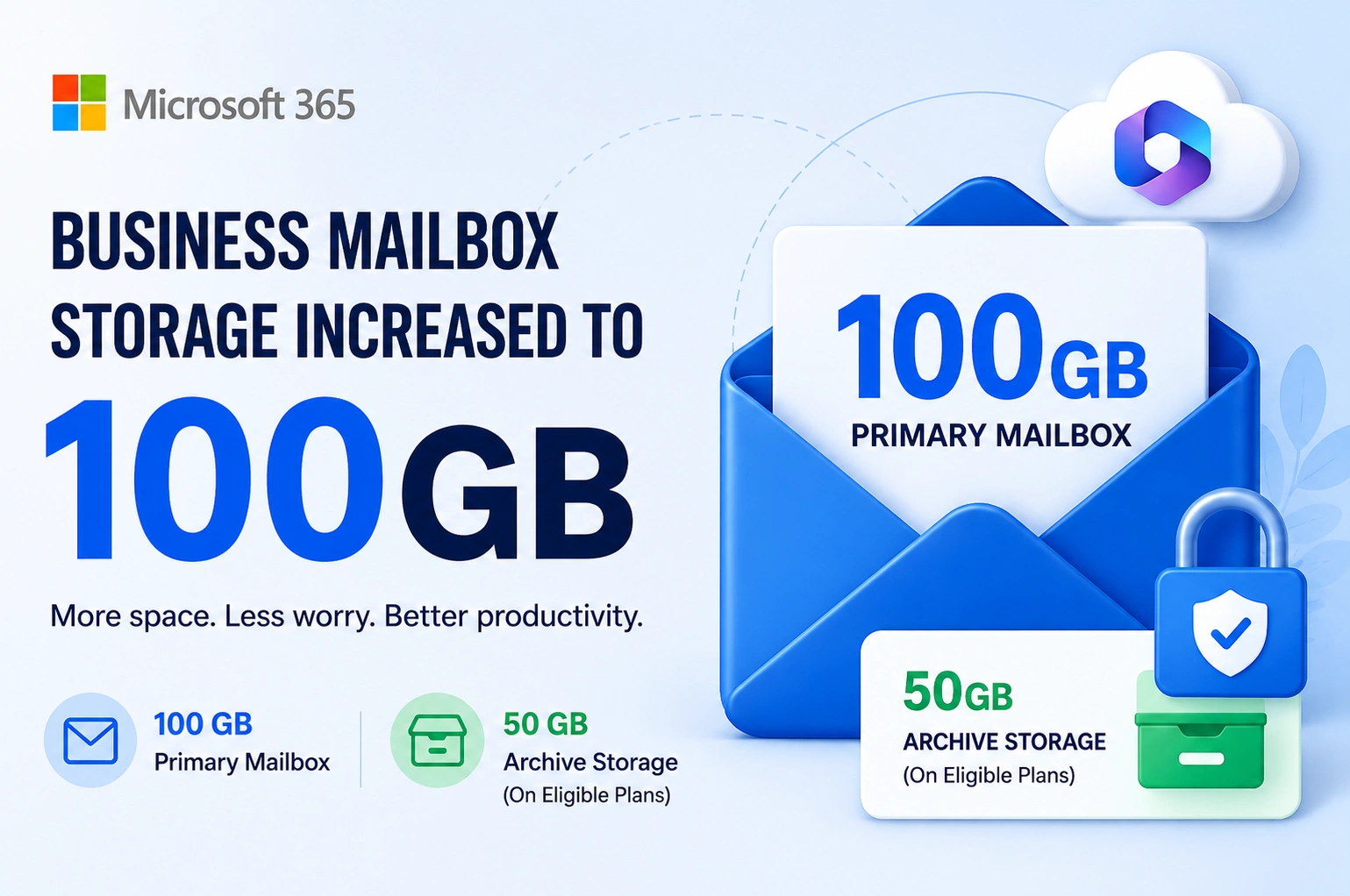
Microsoft has announced a major improvement for Microsoft 365 Business customers. The default mailbox size for eligible Business plans is increasing from 50 GB to 100 GB, giving users twice as much space for emails, attachments, and business communication.
For businesses that rely on email every day, this is welcome news. A larger mailbox means fewer storage warnings, less time cleaning inboxes, and more room to keep important conversations in one place.
In this article, we’ll explain what the new 100 GB mailbox means, who gets the upgrade, how archive storage works, and the other improvements businesses should know about.
What Is Changing?
Microsoft is increasing the primary mailbox storage for eligible Microsoft 365 Business users.
| Feature | Previous | New |
|---|---|---|
| Primary Mailbox | 50 GB | 100 GB |
| Archive Mailbox* | License dependent | Available on eligible plans |
Note: Archive mailbox capacity depends on your Microsoft 365 or Exchange Online license. Eligible users can have a 50 GB archive mailbox, while certain plans support larger or auto-expanding archives.
This update gives businesses much more room to store email without worrying about reaching mailbox limits too quickly.
Why Did Microsoft Increase Mailbox Storage?
Businesses are sending and receiving more emails than ever before.
Today’s inboxes contain:
- Large PDF files
- High-resolution images
- Project documents
- Purchase orders
- Contracts
- Meeting invitations
- Shared files
- Automated notifications
Many organizations reached the previous 50 GB limit much faster than before. Instead of asking users to constantly delete emails or archive them manually, Microsoft has doubled the mailbox capacity.
The goal is simple:
- Improve productivity
- Reduce mailbox management
- Support growing businesses
- Prepare Microsoft 365 for future AI-powered features
Who Will Receive the 100 GB Mailbox?
The new storage increase applies to eligible Microsoft 365 Business subscriptions as Microsoft rolls out the update.
Depending on your license and Microsoft’s rollout schedule, your mailbox size may increase automatically.
If you’re unsure which license your organization uses, your Microsoft 365 administrator can verify it from the Microsoft 365 Admin Center.
What Does a 100 GB Mailbox Mean?
A 100 GB mailbox provides enough storage for years of business email for many users.
Benefits include:
- Store more emails without deleting old conversations.
- Keep larger attachments directly in your mailbox.
- Reduce “Mailbox Full” warnings.
- Improve email retention for business records.
- Spend less time managing storage.
For employees who receive hundreds of emails every day, this upgrade can make a noticeable difference.
Understanding Primary Mailbox vs Archive Mailbox
Many people confuse the primary mailbox with archive storage.
Here’s the difference.
| Primary Mailbox | Archive Mailbox |
|---|---|
| Stores everyday emails | Stores older emails |
| Visible in Outlook Inbox | Appears as Online Archive |
| Used daily | Used for long-term storage |
| Now increased to 100 GB | Capacity depends on your license |
Primary Mailbox
Your primary mailbox contains:
- Inbox
- Sent Items
- Drafts
- Deleted Items
- Calendar
- Contacts
- User folders
This is where users work every day.
Archive Mailbox
An archive mailbox helps move older emails out of the main mailbox while keeping them searchable.
Depending on your Microsoft 365 subscription, you may have:
- 50 GB archive storage
- Larger archive capacity
- Auto-expanding archive on eligible enterprise plans
Archive mailboxes are especially useful for organizations that need to keep emails for compliance, legal, or business record purposes.
New Features and Improvements
While the headline is the increase to a 100 GB mailbox, businesses also benefit from several related improvements available within the Microsoft 365 ecosystem.
1. Double the Email Storage
The biggest improvement is the jump from 50 GB to 100 GB.
Users can retain more emails without frequently deleting messages or attachments.
2. Better Long-Term Email Retention
Larger mailboxes make it easier for businesses to keep years of communication in one place.
This is particularly useful for:
- Accounting firms
- Law firms
- Healthcare organizations
- Educational institutions
- Government offices
3. Improved Outlook Experience
With more available storage, users spend less time managing mailbox quotas and can focus on work instead.
Microsoft Outlook continues to support:
- Powerful search
- Folder organization
- Categories
- Rules
- Focused Inbox
- Quick Actions
4. Online Archive Support
Organizations that require long-term email retention can continue using Online Archive where their license supports it.
Older emails remain searchable without cluttering the primary mailbox.
5. Better Support for AI Features
Microsoft continues expanding AI capabilities across Microsoft 365.
Having a larger mailbox means users can retain more historical email data, which can improve context for AI-powered tools like Microsoft Copilot (where licensed), making it easier to summarize conversations, find information, and draft responses.
6. Less Mailbox Maintenance
IT administrators often spend time helping users manage full mailboxes.
With double the storage:
- Fewer support requests
- Less manual cleanup
- Better user experience
How Businesses Benefit
Here’s how different businesses can take advantage of the increased mailbox storage.
Small Businesses
- Keep customer conversations longer.
- Reduce email cleanup.
- Store invoices and quotations.
Growing Companies
- Support larger teams.
- Handle increasing email traffic.
- Improve collaboration.
Professional Services
Businesses like accountants, consultants, and legal firms often keep years of email records.
The increased mailbox size makes long-term communication easier to manage.
Do You Need to Take Any Action?
In most cases, no.
Microsoft is rolling out the increased mailbox size automatically for eligible subscriptions.
However, administrators should:
- Review their Microsoft 365 license.
- Verify mailbox quotas after rollout.
- Check archive mailbox settings.
- Update internal documentation if storage limits are referenced.
Before vs After
| Feature | Before | After |
|---|---|---|
| Primary Mailbox | 50 GB | 100 GB |
| Storage Warnings | More frequent | Less frequent |
| Email Retention | Limited | Improved |
| Inbox Management | More manual cleanup | Less maintenance |
| Business Productivity | Standard | Better experience |
Best Practices for Managing Larger Mailboxes
Even with 100 GB of storage, good mailbox management remains important.
- Organize emails into folders.
- Use categories for important messages.
- Archive older conversations when appropriate.
- Delete unnecessary spam.
- Enable retention policies where needed.
- Back up important business data according to your organization’s policies.
A larger mailbox is helpful, but good organization makes finding information much easier.
Frequently Asked Questions
Is every Microsoft 365 Business user getting a 100 GB mailbox?
The increase applies to eligible Microsoft 365 Business subscriptions as Microsoft rolls out the update. Availability depends on your plan and rollout schedule.
Is archive storage also increasing?
Archive mailbox capacity depends on your Microsoft 365 or Exchange Online license. Some plans include a 50 GB archive mailbox, while eligible enterprise plans support larger or auto-expanding archives.
Will I lose my existing emails?
No. The storage increase only expands your mailbox capacity. Your existing emails remain unchanged.
Do I need to upgrade Outlook?
No. The mailbox size increase is a server-side change. You can continue using Outlook or Outlook on the web as usual.
Will this affect Microsoft Teams or OneDrive storage?
No. This update applies specifically to Exchange Online mailbox storage. Teams, OneDrive, and SharePoint have their own storage allocations.
Conclusion
The increase from 50 GB to 100 GB is a valuable upgrade for Microsoft 365 Business users. With more mailbox storage, businesses can retain important emails for longer, reduce storage-related interruptions, and spend less time managing inbox limits. Combined with archive mailbox capabilities on eligible plans, this update helps create a more efficient and scalable email environment.
If you’re planning to upgrade your Microsoft 365 subscription, migrate from another email platform, or want to confirm your eligibility for the new 100 GB mailbox, Webtech Nepal can help. As a Microsoft Reseller Partner, we provide Microsoft 365 licensing, migration, deployment, security, and ongoing technical support tailored to your business needs.
Contact Webtech Nepal today to find the right Microsoft 365 solution and make the most of the latest mailbox storage enhancements.